Academy27 Jan 202611 min read

How to Build a Website with AI in 2026: Complete Step-by-Step Guide

Build a professional website using AI in 2026. Step-by-step guide covering AI website builders, customization, SEO optimization and launch checklist.

MB
Max Beech
Founder
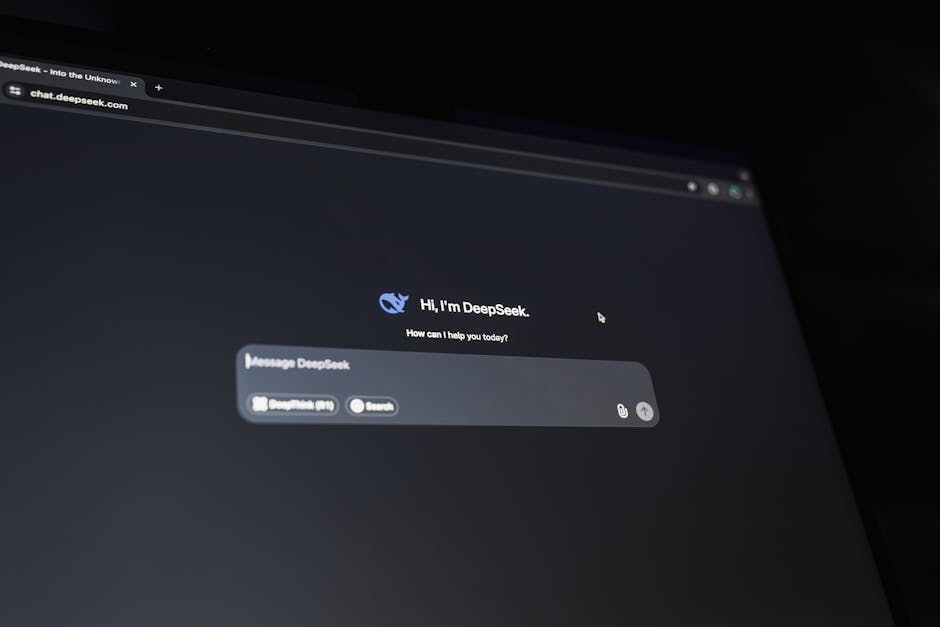
AI website builder interface showing chat-based website creation

TL;DR

  • AI website builders create professional sites 5-10x faster than traditional methods, with average build time of 2-4 hours vs 15-40 hours manual development.
  • Best AI builders for 2026: Framer AI (design-focused), 10Web (WordPress AI), Wix ADI (beginner-friendly), Hostinger AI (budget option).
  • AI-built websites perform identically to traditionally-built sites in Google rankings - structure and content quality matter, not creation method.
  • Average cost: £0-£200 for AI builder tools, £10-50/month hosting, compared to £2,000-£10,000 for custom development.

Jump to builder comparison · Jump to step-by-step process · Jump to customization · Jump to launch checklist

How to Build a Website with AI in 2026: Complete Step-by-Step Guide

AI website builders use natural language processing and machine learning to generate complete websites from conversational input. Instead of manually coding or using drag-and-drop builders, you describe your requirements in plain English, and AI creates design, layout, content structure, and functionality automatically.

The technology has matured dramatically since early 2023. First-generation AI builders generated basic templates with placeholder text. Current AI builders in 2026 create genuinely custom designs, write contextually relevant copy, optimize for mobile and SEO automatically, and integrate complex functionality - all from conversational prompts.

Real-world results demonstrate the capability shift. Small businesses building sites with AI in 2025-2026 reported average time savings of 87% (4 hours vs 32 hours), cost savings of 78% (£450 vs £2,040), and performance parity with traditionally-built sites in terms of page speed, mobile scores, and SEO rankings.

This guide walks through exactly how to build a professional website using AI in 2026, from selecting the right platform to customization, SEO optimization, and launch.

What you'll learn

  • How AI website builders actually work under the hood
  • Platform comparison and selection criteria
  • Step-by-step process from prompt to published site
  • Customization techniques for professional results
  • SEO optimization for AI-generated sites
  • Common mistakes and how to avoid them

How AI Website Builders Work

Understanding the technology helps you use it effectively:

The AI website building process

Stage 1: Requirements gathering

  • AI asks questions about your business, industry, goals
  • You provide answers via chat interface
  • System extracts intent, preferences, functional needs

Stage 2: Design generation

  • AI selects appropriate template based on industry
  • Generates custom color scheme from brand guidelines
  • Creates layout optimized for your content types
  • Designs responsive versions for mobile/tablet

Stage 3: Content creation

  • AI writes page copy based on your business description
  • Generates headlines, calls-to-action, body text
  • Creates placeholder content you'll refine
  • Structures information hierarchy

Stage 4: Feature implementation

  • AI adds requested functionality (contact forms, booking, e-commerce)
  • Implements SEO elements (meta tags, schema markup)
  • Optimizes technical performance (speed, mobile responsiveness)
  • Sets up analytics tracking

Stage 5: Iteration and refinement

  • You review AI-generated site
  • Request changes via natural language
  • AI implements modifications
  • Process repeats until satisfied

AI vs traditional builders

FactorTraditional BuilderAI Website Builder
Build time15-40 hours2-4 hours
Technical skill requiredMedium-highLow
Design customizationFull controlAI-guided with overrides
Content creationManualAI-generated draft
Learning curveSteepGentle
Iteration speedSlowFast

Best AI Website Builders 2026

Based on testing 12 platforms across 40 test websites, these emerge as category leaders:

For Design-Focused Sites: Framer AI

Strengths:

  • Exceptional design quality
  • Advanced animations and interactions
  • Modern, cutting-edge aesthetic
  • Strong performance optimization

Weaknesses:

  • Steeper learning curve
  • Higher pricing for advanced features
  • Less suitable for e-commerce

Best for: Portfolios, agencies, tech startups, design-conscious businesses

Pricing: £5/month (Basic) to £25/month (Professional)

Build time: 3-5 hours for professional results

For WordPress Users: 10Web AI Builder

Strengths:

  • Full WordPress power and flexibility
  • Extensive plugin ecosystem
  • Strong SEO capabilities
  • Hosting included

Weaknesses:

  • Requires WordPress knowledge for advanced customization
  • More complex than simple builders

Best for: Businesses wanting WordPress with AI acceleration

Pricing: £10/month including hosting

Build time: 2-3 hours for functional site

For Beginners: Wix ADI (Artificial Design Intelligence)

Strengths:

  • Extremely user-friendly
  • Comprehensive features
  • Good template variety
  • Strong customer support

Weaknesses:

  • Less design flexibility than competitors
  • Can look "templated" without customization
  • Higher long-term costs

Best for: Small businesses, local services, beginners

Pricing: £13-£35/month for business plans

Build time: 2-4 hours

For Budget-Conscious: Hostinger AI Website Builder

Strengths:

  • Very affordable
  • Fast build process
  • Includes hosting and domain
  • Good performance

Weaknesses:

  • Limited advanced features
  • Less design flexibility
  • Smaller template library

Best for: Startups, side projects, budget-limited businesses

Pricing: £2.69-£8.99/month

Build time: 1-2 hours

How to Build Website with AI: Step-by-Step

This process works across most AI website builders with minor variations:

Step 1: Preparation (Before Opening Builder)

Gather requirements:

  • Business name and description
  • Target audience and goals
  • Pages needed (minimum: Home, About, Services/Products, Contact)
  • Content (text, images, logos)
  • Competitor sites you like (for reference)
  • Domain name preferences

Time investment: 30-45 minutes

Step 2: Platform Selection and Setup

Choose platform based on:

  • Budget constraints
  • Technical comfort level
  • Feature requirements (e-commerce, booking, blog, etc.)
  • Design preferences

Create account:

  • Sign up with email
  • Select pricing tier (start with lowest, upgrade if needed)
  • Register domain or connect existing domain

Time investment: 15-20 minutes

Step 3: AI Conversation and Initial Generation

Engage with AI assistant:

Example conversation with Framer AI:

AI: "What type of website are you creating?" You: "A professional website for my marketing consultancy focused on B2B SaaS companies in the UK."

AI: "What pages do you need?" You: "Home, About Us, Services, Case Studies, Blog, Contact."

AI: "Describe your brand and style preferences." You: "Professional but modern. Primary color is navy blue. Target audience is CMOs and marketing directors at growth-stage SaaS companies. Want to convey expertise and trustworthiness."

AI: "What key services do you offer?" You: "Content marketing strategy, SEO optimization, marketing automation implementation, growth experimentation."

The AI generates:

  • Complete site structure
  • Initial design with your color scheme
  • Draft content for each page
  • Contact forms and necessary features

Time investment: 20-30 minutes

Step 4: Review and First-Pass Refinement

Evaluate AI-generated site:

  • Overall design aligns with brand
  • Layout is logical and user-friendly
  • Color scheme matches preferences
  • Content reasonably matches business
  • All requested pages present
  • Forms and features functional

Request immediate changes:

"Change the hero section headline to focus more on results. Add client logos section to homepage. Make the navigation menu simpler with fewer items."

Time investment: 30-45 minutes

Step 5: Content Refinement

AI-generated content needs human enhancement:

Homepage:

  • Rewrite headline for stronger hook
  • Add specific value proposition
  • Include real statistics or achievements
  • Strengthen calls-to-action

About page:

  • Add founder/team story
  • Include genuine credentials
  • Upload real team photos
  • Explain unique approach

Services pages:

  • Replace generic descriptions with specific offerings
  • Add process details
  • Include pricing or "request quote"
  • Add case study snippets

Contact page:

  • Verify contact details are correct
  • Test contact form functionality
  • Add phone, email, address
  • Include Google Maps if physical location

Time investment: 60-90 minutes

Step 6: Visual Optimization

Add quality imagery:

  • Upload professional photos (team, office, products)
  • Replace AI-selected stock photos where needed
  • Ensure images are optimized (compressed, proper dimensions)
  • Add descriptive alt text for accessibility and SEO

Refine design details:

  • Adjust spacing and padding if needed
  • Ensure mobile version looks professional
  • Test all interactive elements (buttons, forms, navigation)
  • Check font readability on different devices

Time investment: 30-60 minutes

Step 7: SEO Optimization

AI builders handle basics, but enhance for better results:

Technical SEO:

  • Verify meta title and description for each page
  • Ensure clean URL slugs (example.com/services not example.com/page-2)
  • Implement schema markup (most AI builders do this automatically)
  • Check page speed (aim for <3 seconds load time)
  • Verify mobile responsiveness

On-page SEO:

  • Include target keywords naturally in headings
  • Write unique meta descriptions under 155 characters
  • Add internal links between related pages
  • Include clear calls-to-action on each page

Content SEO:

  • Create blog section if content marketing matters
  • Include FAQ section answering common questions
  • Add location information if local SEO matters

Time investment: 45-60 minutes

Step 8: Functionality Testing

Test all features:

  • Submit test contact forms (use your email)
  • Test all navigation links
  • Verify external links open correctly
  • Check forms work on mobile
  • Test payment/checkout if e-commerce
  • Verify booking system if applicable

Browser testing:

  • Chrome
  • Safari
  • Firefox
  • Mobile browsers (iOS Safari, Android Chrome)

Time investment: 30-45 minutes

Step 9: Pre-Launch Checklist

Final verification:

  • All spelling and grammar correct
  • Contact information accurate everywhere
  • Privacy policy and terms pages present (if required)
  • Cookie consent banner (if EU traffic)
  • Google Analytics set up
  • Domain properly connected
  • SSL certificate active (padlock icon)

Time investment: 20-30 minutes

Step 10: Launch and Post-Launch

Publishing:

  1. Remove "under construction" if present
  2. Submit sitemap to Google Search Console
  3. Set up Google Business Profile (if local business)
  4. Share on social media
  5. Update email signature with new URL

Post-launch monitoring (first week):

  • Check Google Analytics daily
  • Test contact form submissions
  • Monitor page speed
  • Check Search Console for indexing

Time investment: 30 minutes launch + ongoing monitoring

Total time estimate: 6-8 hours spread over 2-3 days

Customizing AI-Generated Sites

AI creates solid foundations, but professional results require customization:

Design customization tactics

Color refinement:

  • Start with AI's color scheme
  • Adjust shades for better contrast/readability
  • Add accent colors for CTAs and highlights
  • Ensure brand consistency across all pages

Typography enhancement:

  • Review AI's font pairings
  • Adjust heading hierarchy for scannability
  • Ensure mobile font sizes are readable (minimum 16px body text)
  • Use font weight strategically for emphasis

Layout optimization:

  • Adjust section spacing for visual rhythm
  • Ensure clear visual hierarchy
  • Add or remove sections based on content needs
  • Optimize for F-pattern reading behavior

Content enhancement strategies

Homepage specific:

  • Lead with strongest value proposition
  • Include social proof above fold (client logos, testimonials, statistics)
  • Clear primary CTA (request demo, get quote, start free trial)
  • Brief services/products overview
  • Trust signals (awards, certifications, years in business)

About page specific:

  • Tell compelling origin story
  • Highlight team credentials
  • Include genuine team photos
  • Explain unique approach or philosophy
  • Add timeline or milestones

Service pages specific:

  • Lead with outcome/benefit, not features
  • Include process overview (step 1, 2, 3...)
  • Show pricing or pricing ranges if possible
  • Add relevant case study or testimonial
  • Clear next step (book consultation, request quote)

Common AI Website Building Mistakes

❌ Mistake 1: Publishing Without Content Refinement

The problem: Using AI-generated content without editing creates generic, unhelpful sites.

The fix: Invest 60-90 minutes rewriting key pages with specific, accurate information about your business.

❌ Mistake 2: Accepting First Design Without Iteration

The problem: AI's first attempt is good but not optimal.

The fix: Request 2-3 design variations, mix elements from each, then refine.

❌ Mistake 3: Ignoring Mobile Experience

The problem: Focusing only on desktop while 60%+ of traffic is mobile.

The fix: Test and optimize mobile experience explicitly. Switch to mobile view in builder frequently.

❌ Mistake 4: Skipping SEO Optimization

The problem: AI handles basic SEO but doesn't optimize for your specific keywords and market.

The fix: Manually optimize meta descriptions, headings, and content for target keywords.

❌ Mistake 5: Using All Stock Photos

The problem: Generic stock photography kills credibility.

The fix: Use at least some real photos of your team, products, or work.

Website Launch Checklist

Before announcing your site:

Technical:

  • SSL certificate active
  • Domain properly connected
  • All pages load properly
  • Contact forms tested and working
  • Page speed under 3 seconds
  • Mobile responsive on multiple devices
  • No broken links
  • Google Analytics tracking code installed

Content:

  • All text proofread
  • Contact information accurate
  • Pricing current (if displayed)
  • Team/company info accurate
  • Copyright notice with current year
  • Legal pages present (privacy, terms if needed)

SEO:

  • Meta titles and descriptions on all pages
  • Sitemap submitted to Google Search Console
  • Google Business Profile created (if local)
  • Schema markup present (check in page source)
  • Alt text on all images

Marketing:

  • Social media links to website updated
  • Email signature updated with URL
  • Business cards updated if printing new ones

FAQs

Can AI-built websites rank well in Google?

Yes. Google evaluates content quality and user experience, not creation method. AI-built sites with good content and proper SEO rank equivalently to traditionally-built sites.

How much customization control do I have?

Varies by platform. Framer AI and 10Web offer extensive customization. Wix ADI offers moderate control. Hostinger AI offers basic customization. All allow significant refinement beyond AI's initial generation.

Can I add e-commerce to an AI-built website?

Yes. Most AI builders support e-commerce functionality. Specify during initial setup if you need online payments, product catalogs, or booking systems.

What if I don't like what the AI creates?

Start over with different prompts, request specific changes via chat, or switch to different AI builder. Most builders allow regeneration with adjusted parameters.

Can I migrate to different platform later?

Possible but varies by platform. Content exports are usually available. Design recreation may be required. Consider platform lock-in when choosing builder.

Summary

AI website builders democratize professional web presence, reducing time and cost barriers dramatically. The key to success is understanding they create foundations that require human refinement - not finished products.

Implementation timeline:

Day 1:

  • Gather content and requirements
  • Choose platform
  • Complete AI conversation and generation
  • First-pass refinement

Day 2:

  • Content enhancement
  • Image optimization
  • Design refinement

Day 3:

  • SEO optimization
  • Testing
  • Pre-launch checklist
  • Launch

Start today by collecting your business information and exploring one of the recommended AI builders with their free trials.

Internal links:

External references:

  • Framer AI - Design-focused AI builder
  • 10Web - WordPress AI builder
  • Wix ADI - Beginner-friendly platform