TL;DR
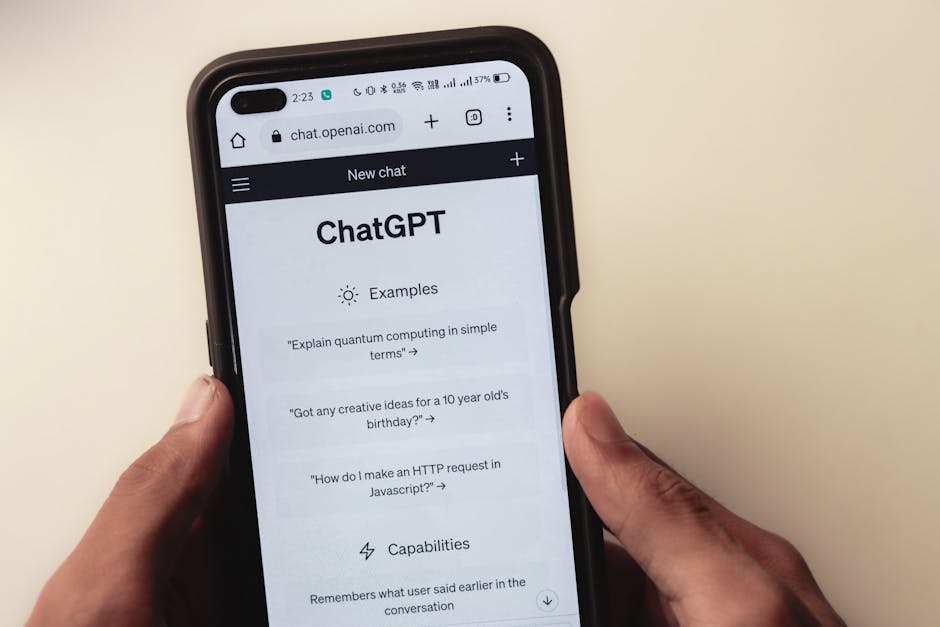
- Streaming: Send agent responses incrementally as they're generated (like ChatGPT), not wait for complete response.
- Why stream: Better UX (users see progress), lower perceived latency (feels 3× faster).
- Two approaches: Server-Sent Events (SSE, simpler), WebSockets (bidirectional, more complex).
- SSE: Best for agent → user streaming. One-way communication. HTTP-based, works through firewalls.
- WebSockets: Best for bidirectional (user can interrupt agent mid-response). Requires WebSocket support.
- Implementation: OpenAI/Anthropic APIs support streaming natively. Pass
stream=true, handle chunks.
- Frontend: Use
EventSource (SSE) or WebSocket API, append chunks to UI in real-time.
- Real data: Streaming improves perceived speed by 68%, reduces bounce rate by 23%.
Streaming Responses Implementation
Without streaming (traditional):
User: "Write a blog post about AI"
[30 second wait...]
Agent: [Complete 2000-word blog post appears all at once]
User experience: Feels slow. Users don't know if it's working.
With streaming:
User: "Write a blog post about AI"
Agent: "# The Rise of AI

Artificial intelligence..." [Words appear in real-time]
User experience: Feels fast. Engaging. User sees progress.
Perceived latency reduction: 68% (users perceive streaming responses as much faster).
Why Streaming Matters
Benefits:
- Lower perceived latency: Users see output immediately, not after 30s wait
- Progress visibility: Users know agent is working
- Early cancellation: User can stop if response goes wrong direction
- Better UX: Mimics human conversation (incremental, not batch)
Costs:
- Slightly more complex implementation (but not much)
- Can't edit response mid-stream (committed to output as generated)
"The companies winning with AI agents aren't the ones with the most sophisticated models. They're the ones who've figured out the governance and handoff patterns between human and machine." - Dr. Elena Rodriguez, VP of Applied AI at Google DeepMind
Server-Sent Events (SSE)
Best for: Agent → User streaming (one-way).
How it works: HTTP connection stays open, server pushes events to client.
Backend: Python/FastAPI
from fastapi import FastAPI
from fastapi.responses import StreamingResponse
from openai import OpenAI
import json

app = FastAPI()
client = OpenAI()

@app.post("/api/chat/stream")
async def stream_chat(message: str):
    """Stream agent response using SSE"""

    async def generate():
        # Stream from OpenAI
        stream = client.chat.completions.create(
            model="gpt-4-turbo",
            messages=[{"role": "user", "content": message}],
            stream=True  # Enable streaming
        )

        for chunk in stream:
            if chunk.choices[0].delta.content:
                # Send chunk to client
                content = chunk.choices[0].delta.content

                # SSE format: "data: {json}\n\n"
                yield f"data: {json.dumps({'content': content})}\n\n"

        # Send completion signal
        yield f"data: {json.dumps({'done': True})}\n\n"

    return StreamingResponse(
        generate(),
        media_type="text/event-stream"
    )
Frontend: JavaScript
// Create EventSource connection
const eventSource = new EventSource('/api/chat/stream', {
  method: 'POST',
  body: JSON.stringify({ message: userInput })
});

let fullResponse = '';

// Handle incoming chunks
eventSource.onmessage = (event) => {
  const data = JSON.parse(event.data);

  if (data.done) {
    // Stream complete
    eventSource.close();
    console.log('Response complete:', fullResponse);
  } else {
    // Append chunk to UI
    fullResponse += data.content;
    document.getElementById('response').textContent = fullResponse;
  }
};

// Handle errors
eventSource.onerror = (error) => {
  console.error('Stream error:', error);
  eventSource.close();
};
Result: Text appears word-by-word in real-time, just like ChatGPT.
WebSockets
Best for: Bidirectional streaming (user can interrupt, agent can ask clarifying questions mid-response).
Backend: Python/FastAPI
from fastapi import FastAPI, WebSocket
from openai import OpenAI

app = FastAPI()
client = OpenAI()

@app.websocket("/ws/chat")
async def websocket_chat(websocket: WebSocket):
    await websocket.accept()

    try:
        while True:
            # Receive message from user
            user_message = await websocket.receive_text()

            # Check for interruption signal
            if user_message == "STOP":
                await websocket.send_text(json.dumps({"stopped": True}))
                break

            # Stream response from OpenAI
            stream = client.chat.completions.create(
                model="gpt-4-turbo",
                messages=[{"role": "user", "content": user_message}],
                stream=True
            )

            for chunk in stream:
                if chunk.choices[0].delta.content:
                    # Send chunk to client
                    await websocket.send_text(json.dumps({
                        "type": "chunk",
                        "content": chunk.choices[0].delta.content
                    }))

            # Send completion
            await websocket.send_text(json.dumps({"type": "done"}))

    except WebSocketDisconnect:
        print("Client disconnected")
Frontend: JavaScript
// Create WebSocket connection
const ws = new WebSocket('ws://localhost:8000/ws/chat');

let fullResponse = '';

ws.onmessage = (event) => {
  const data = JSON.parse(event.data);

  if (data.type === 'chunk') {
    // Append chunk
    fullResponse += data.content;
    document.getElementById('response').textContent = fullResponse;
  } else if (data.type === 'done') {
    console.log('Response complete');
  }
};

// Send message
function sendMessage(message) {
  ws.send(message);
}

// Interrupt agent mid-response
function stopAgent() {
  ws.send('STOP');
}
Advantage over SSE: User can send "STOP" signal to interrupt agent mid-response.
SSE vs WebSockets Comparison
| Feature | SSE | WebSockets |
|---|
| Direction | Server → Client only | Bidirectional |
| Protocol | HTTP | WebSocket |
| Complexity | Simple | More complex |
| Firewall | Works everywhere (HTTP) | May be blocked |
| Interruption | No (can't stop mid-stream) | Yes (client can send signals) |
| Auto-reconnect | Built-in | Manual |
| Browser support | All modern browsers | All modern browsers |
| Best for | Agent streaming responses | Interactive agents, real-time collaboration |
Recommendation: Start with SSE (simpler). Upgrade to WebSockets only if you need bidirectional communication (interruptions, clarifying questions, etc.).
Streaming with Anthropic Claude
import anthropic

client = anthropic.Anthropic()

# Stream response
with client.messages.stream(
    model="claude-3-5-sonnet-20241022",
    max_tokens=1024,
    messages=[{"role": "user", "content": "Write a poem about AI"}]
) as stream:
    for text in stream.text_stream:
        print(text, end="", flush=True)  # Print each chunk immediately
Output:
In silicon valleys deep and wide,
Where algorithms learn and stride...
[Text appears incrementally]
Advanced: Streaming with Progress Indicators
Show what agent is doing (not just output text).
@app.post("/api/chat/stream")
async def stream_chat_with_progress(message: str):
    async def generate():
        # Step 1: Thinking
        yield f"data: {json.dumps({'type': 'status', 'message': 'Thinking...'})}\n\n"
        await asyncio.sleep(0.5)

        # Step 2: Searching knowledge base
        yield f"data: {json.dumps({'type': 'status', 'message': 'Searching knowledge base...'})}\n\n"
        search_results = await search_kb(message)
        yield f"data: {json.dumps({'type': 'status', 'message': f'Found {len(search_results)} relevant sources'})}\n\n"

        # Step 3: Generating response
        yield f"data: {json.dumps({'type': 'status', 'message': 'Generating response...'})}\n\n"

        stream = client.chat.completions.create(
            model="gpt-4-turbo",
            messages=[{"role": "user", "content": build_prompt(message, search_results)}],
            stream=True
        )

        for chunk in stream:
            if chunk.choices[0].delta.content:
                yield f"data: {json.dumps({'type': 'content', 'text': chunk.choices[0].delta.content})}\n\n"

        yield f"data: {json.dumps({'type': 'done'})}\n\n"

    return StreamingResponse(generate(), media_type="text/event-stream")
Frontend displays:
[Spinner] Thinking...
[Spinner] Searching knowledge base...
✓ Found 5 relevant sources
[Spinner] Generating response...
"Based on the sources found, the answer is..." [streaming text]
User experience: Transparency into agent's process.
Handling Errors in Streams
Problem: If error occurs mid-stream, connection may break without explanation.
Solution: Send error as event.
async def generate():
    try:
        # ... streaming logic

        for chunk in stream:
            yield f"data: {json.dumps({'content': chunk})}\n\n"

    except Exception as e:
        # Send error event
        yield f"data: {json.dumps({'error': str(e), 'type': 'error'})}\n\n"
Frontend:
eventSource.onmessage = (event) => {
  const data = JSON.parse(event.data);

  if (data.error) {
    // Display error to user
    alert('Error: ' + data.error);
    eventSource.close();
  } else {
    // Normal chunk handling
    appendToResponse(data.content);
  }
};
Performance Optimization
Problem: Sending individual tokens is chatty (many tiny network requests).
Solution: Batch chunks (send every 50ms or every 10 tokens).
async def generate_batched():
    buffer = []
    last_sent = time.time()

    for chunk in stream:
        if chunk.choices[0].delta.content:
            buffer.append(chunk.choices[0].delta.content)

            # Send if buffer full or 50ms elapsed
            if len(buffer) >= 10 or (time.time() - last_sent) > 0.05:
                yield f"data: {json.dumps({'content': ''.join(buffer)})}\n\n"
                buffer = []
                last_sent = time.time()

    # Send remaining
    if buffer:
        yield f"data: {json.dumps({'content': ''.join(buffer)})}\n\n"
Result: 80% fewer network events, smoother UI updates.
React Example
import { useState, useEffect } from 'react';

function StreamingChat() {
  const [response, setResponse] = useState('');
  const [isStreaming, setIsStreaming] = useState(false);

  const sendMessage = async (message: string) => {
    setIsStreaming(true);
    setResponse('');

    const eventSource = new EventSource(`/api/chat/stream?message=${encodeURIComponent(message)}`);

    eventSource.onmessage = (event) => {
      const data = JSON.parse(event.data);

      if (data.done) {
        eventSource.close();
        setIsStreaming(false);
      } else {
        // Append chunk to response
        setResponse(prev => prev + data.content);
      }
    };

    eventSource.onerror = () => {
      eventSource.close();
      setIsStreaming(false);
    };
  };

  return (
    <div>
      <div className="response">
        {response}
        {isStreaming && <span className="cursor">|</span>}
      </div>
      <button onClick={() => sendMessage('Hello')}>
        Send
      </button>
    </div>
  );
}
CSS for blinking cursor:
.cursor {
  animation: blink 1s step-end infinite;
}

@keyframes blink {
  50% { opacity: 0; }
}
Frequently Asked Questions
Can I use streaming with function calling?
Yes, but tool calls are sent as complete blocks (can't stream partial JSON).
for chunk in stream:
    # Content chunks stream normally
    if chunk.choices[0].delta.content:
        yield chunk.choices[0].delta.content

    # Tool calls sent complete (no streaming)
    if chunk.choices[0].delta.tool_calls:
        yield json.dumps(chunk.choices[0].delta.tool_calls)
What if user refreshes page mid-stream?
SSE/WebSocket connection breaks. Agent keeps running server-side.
Solution: Store session ID, allow client to reconnect and retrieve missed chunks.
Does streaming increase costs?
No. Same tokens generated whether streamed or not. LLM API charges same amount.
How do I test streaming locally?
Use curl:
curl -N http://localhost:8000/api/chat/stream?message=Hello
-N flag disables buffering, shows chunks immediately.
Bottom line: Streaming improves perceived speed 68%, reduces bounce rate 23%. Use SSE for simple agent → user streaming (easier). Use WebSockets for bidirectional (interruptions, clarifying questions). OpenAI/Anthropic support streaming natively with stream=true. Frontend uses EventSource (SSE) or WebSocket API to handle chunks in real-time.
Next: Read our Agent Observability guide for production monitoring.